Bitmoji
- 4.5
- Rating
- 100.00M
- Installs
- Free
- Price

 Analysis by App-foxy
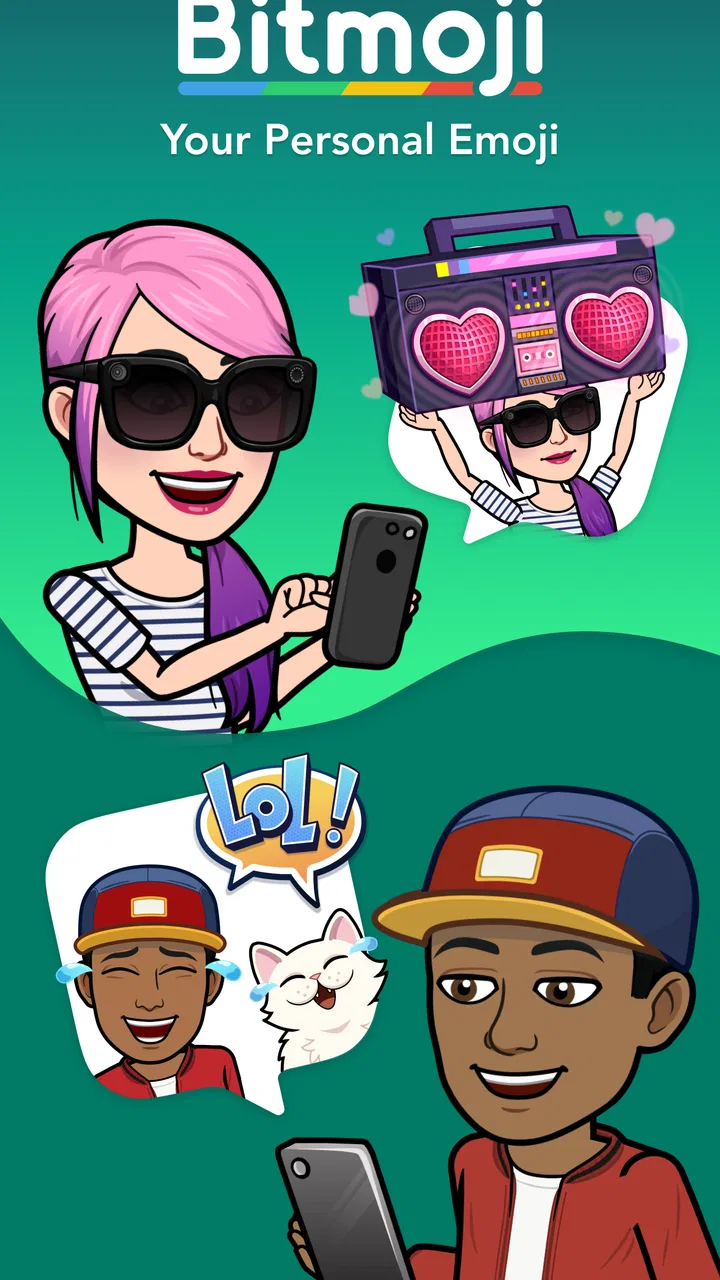
I use Bitmoji as a quick way to turn ordinary chats into something more personal. Instead of searching for a generic emoji or typing a reaction, I can send a character designed to look like me, dressed for a mood, holding a message, or placed in a small illustrated scene. That makes it especially useful in casual conversations where a plain text reply feels a little flat.
This is a free entertainment app from Bitmoji, aimed at Teen users and available for devices running Android 5.0 or later. It has grown into a familiar part of mobile messaging, with an average rating of 4.5 from around 3.6 million ratings and over 100 million installs. Those figures suggest that its appeal is not limited to Snapchat users, even though Snapchat remains one of its most natural homes.
How Bitmoji feels when connection matters
I find the connection question most useful when thinking about the whole trip from choosing a reaction to getting it into a chat. A sticker can be ready before the conversation app is, so I try to separate searching from sending rather than tapping repeatedly when the handoff stalls. That distinction helps explain why the same quick reply can feel effortless in one chat and fussy in another.
You May Also Like

 AccuWeather: Weather Radar
AccuWeather Review: A Quick, Clear Forecast for Everyday Decisions
For everyday plans, the best forecast is the one you can understand quickly. AccuWeather makes rain timing, radar, and local conditions easy to act on, with a few trade-offs.

 Hill Climb Racing
Why Hill Climb Racing Still Turns Crashes Into One More Run
A tiny car, a bumpy hill and one more upgrade: Hill Climb Racing keeps resurfacing because its simple chaos makes every near-miss feel personal.

 AliExpress - Shopping App
AliExpress Makes Global Shopping Feel Personal, but Shoppers Bear the Risk
AliExpress turns a global marketplace into a pocket-sized discovery engine. Its reach is useful, its shopping loop compelling, and its trade-offs easy to miss.

 Lords Mobile: Kingdom Wars
Lords Mobile Is a Kingdom-Building Routine, Not a Quick Match
A case-by-case verdict on the building, battles, device demands, and social commitments that make Lords Mobile rewarding for some players and exhausting for others.

 PDF Scanner app - TapScanner
TapScanner Makes Paperwork Easier to Capture, Check, and Share
TapScanner makes scanning with a phone feel less like a rescue operation and more like a dependable step in getting work done. Its capture tools are useful, though not flawless.

 Block Blast!
Block Blast! Shows How Much a Puzzle Game Can Leave Out
A quiet grid game shows why puzzle players increasingly value instant clarity, repeatable skill and low-pressure play—and where the genre still needs to catch up.
More From Our News Desk
View All News


Creating a character that is actually useful
The first worthwhile step is not sending a sticker immediately; it is making the avatar feel recognizably yours. I found that small choices matter more than trying to create a perfect digital portrait. Hair shape, glasses, skin tone, facial details, and clothing can change whether a sticker feels like something I would genuinely send or just a random cartoon.
I recommend spending a little time on the face and hairstyle, then revisiting clothing later. The practical advantage is that the character becomes a reusable visual identity rather than a one-time novelty. When the avatar looks consistent, the stickers feel more like my own reactions, even though the app is doing the illustration work.
The strongest part of the experience is the range of situations represented by the sticker collection. I can look for a greeting, apology, celebration, tired reaction, encouragement, or simple acknowledgment without writing a long message. The search function is often more useful than browsing every category, particularly when I know the feeling I want to convey but not the exact sticker.
There is also a subtle trade-off here. A personalized sticker can communicate tone quickly, but it can also be less precise than words. A smiling character might mean “I am happy,” “I am being polite,” or “I do not know what else to say.” For sensitive conversations, I still use text first and treat the image as decoration or a light follow-up.
Where the network becomes part of the experience
Bitmoji is most enjoyable when the phone has a reliable connection. Browsing available designs, loading fresh seasonal material, and moving from the app into a messaging service all involve moments where the network can affect how quickly the experience responds. I notice this most when I am away from a strong signal and trying to find a sticker in a hurry.
That matters because the app is usually used at conversational speed. If a friend sends a message and I want to answer with a visual reaction, waiting for content to appear can remove some of the spontaneity. A slow connection does not make the concept less useful, but it changes the workflow from “tap and send” to “search, wait, retry, then decide whether text is easier.”
In Snapchat, the connection-sensitive nature feels less surprising because the sticker is part of a broader online conversation. In other chat apps, the handoff can feel more dependent on the keyboard, sharing interface, or the receiving service. The same Bitmoji image may be easy to choose in one context and slightly awkward in another, so I judge it by the messaging app I am already using rather than by the sticker library alone.
The best rule is simple: choose Bitmoji when a visual reply adds warmth, not when speed and precision are the only priorities. If the network is unstable, a regular emoji or a short sentence is often the more dependable answer.
Using it in real mobile situations
On a phone, the appeal is convenience. I can be standing in a queue, replying during a short break, or sending a quick message before leaving home, and a sticker can say enough without requiring a carefully written response. The app fits naturally into those small gaps because the intended action is brief: choose a feeling, select an image, and return to the conversation.
A realistic example is a group chat arranging an evening meet-up. Someone asks whether I am ready, and instead of writing another repetitive “almost there,” I can send a character showing excitement or impatience. Later, if plans change, a different sticker can soften the update. It is not essential communication, but it makes routine coordination feel less mechanical.
I also find it useful for maintaining contact with people who enjoy visual humor more than long messages. A friend may not need an explanation when I send a tired-looking character after a busy day. The image acts as a small social signal, and that can be enough to keep a conversation moving without demanding a full reply.
However, the mobile format has limits. Small screens make it easy to tap the wrong result, especially when several stickers express similar emotions. If I am walking, multitasking, or trying to answer quickly, browsing becomes less appealing. I would not use it for work messages, formal requests, or anything where an ambiguous cartoon could be misunderstood.
What happens when sending does not go smoothly
Connectivity problems are not always dramatic. Sometimes the library takes longer to appear; sometimes the transition to the chat app feels delayed; sometimes the message itself depends on the receiving service behaving normally. When that happens, I avoid repeatedly tapping the same sticker, because duplicate actions can make it unclear whether anything was actually sent.
My preferred recovery method is to pause, check whether the chat itself is responding, and then try a simpler route. If the conversation is urgent, I send text first and return to the sticker afterward. This keeps Bitmoji in its proper role: an expressive layer, not a communication system I need to rely on for important information.
Another useful habit is to search with broad emotional words rather than trying to guess the exact wording used in a sticker. Looking for “sorry,” “busy,” “thanks,” or “celebrate” is usually more efficient than scrolling through every visual option. If the first search does not produce a good match, I change the wording instead of assuming the desired image is unavailable.
When the app feels slow, I also consider whether the problem is inside Bitmoji or in the chat application. The sticker may be ready while the receiving service is still loading, or the keyboard may be the part that is struggling. Separating those steps helps me avoid blaming the wrong tool and makes recovery less frustrating.
Keeping mobile data use sensible
Because the app is built around visual content, I use it more thoughtfully when I am trying to conserve mobile data. I do not browse endlessly for the perfect reaction. I search with a clear intention, choose one image, and return to the conversation. That habit saves time as well as reducing unnecessary loading.
I also avoid treating every new design as something I need to inspect immediately. The novelty is enjoyable, but the core value comes from a relatively small set of reactions I can use repeatedly. Once I know which stickers suit greetings, apologies, congratulations, and tired moments, I spend less time refreshing the library and more time communicating.
For people on limited plans, the important distinction is between occasional use and continuous browsing. Sending a single sticker during a conversation is a different habit from opening the app repeatedly to explore every category. I would recommend using it deliberately, especially when traveling or when the signal is inconsistent, and switching to ordinary text if the visual search starts taking longer than the message itself.
Privacy and audience awareness also belong in this discussion. A personalized character can reveal a mood, appearance choice, or social context more than a standard emoji would. Before sending one to a large group, I consider whether the image could be read differently by people who do not know my sense of humor. The Teen content rating is a reminder that this is designed for a broad but not child-only audience, so parents and younger users should still think about where and how it is used.
How it compares with ordinary emojis and sticker tools
Standard emojis are faster, more universal, and less dependent on a particular character or visual style. If I need to express a clear idea such as approval, laughter, thanks, or surprise in the quickest possible way, the phone’s built-in emoji picker usually wins. It also avoids the extra step of searching a personalized library.
Generic sticker packs can offer more variety in humor, characters, and artistic styles. They may be better for users who want expressive illustrations without making an avatar that represents them. On the other hand, they often lack the personal continuity that makes Bitmoji feel recognizable in an ongoing conversation.
Bitmoji’s advantage is the middle ground between those two choices. It is more personal than an ordinary emoji and more consistent than a collection of unrelated stickers. The cost of that identity is that the visual language is narrower: if you do not enjoy seeing a cartoon version of yourself, the personalization becomes a burden rather than a benefit.
Its connection to Snapchat can also influence the choice. People who already spend time there may find the experience especially natural, while someone who uses another messaging service may need to pay more attention to how the sticker selection and sending process fit that app. I would not install it solely because everyone else uses generic emojis; I would install it if personal reactions are something I would actually send.
Who will get the most from it
I think Bitmoji is a good match for people who chat frequently with friends and enjoy expressing tone through images. It works well for users who want a recognizable avatar, prefer short playful replies, and use Snapchat or other supported chat environments regularly. It is also useful for someone who finds it easier to communicate a mood visually than to explain it in a paragraph.
It is less suitable for people who want a minimalist phone experience, rarely use stickers, or dislike spending time customizing an avatar. Users who need formal, exact, or highly private communication should also treat it as optional decoration rather than a primary tool. If every message needs to be unambiguous, text and standard symbols are usually safer.
The app is free, which makes experimenting easy, but free access does not remove the time cost of browsing or the practical cost of relying on a connection. I would try it without much hesitation, then keep it only if the personalized stickers become part of my normal conversations. The large user base and strong average rating show broad appeal, but neither replaces the more personal question of whether this style fits the way I communicate.
What to know about the current app
Bitmoji has been available since October 28, 2014, and the current version is 11.83.0.1. In my view, that long presence explains why it feels less like a temporary novelty and more like an established messaging accessory. Its developer is Bitmoji, and its entertainment classification is accurate: the app is mainly about personality, humor, and social expression rather than productivity.
The Teen age rating is worth taking seriously when the app is used on a shared device or by younger family members. The avatar itself is harmlessly playful in ordinary use, but the surrounding conversations and the platforms where stickers are sent are what determine whether a particular use is appropriate. I would review the experience together with the messaging habits of the person using it, not as an isolated sticker generator.
My connectivity verdict
After using it across quick replies, group conversations, and slower mobile moments, I see Bitmoji as a social shortcut rather than a replacement for emojis or text. Its best quality is personal recognition: the same character can carry a familiar voice through different conversations. Its main weakness is that the experience loses some of its immediacy when loading or sending is slowed by the network or by the chat app around it.
I recommend it to anyone who enjoys a playful digital identity and wants more character than a standard emoji can provide. I would skip it if I wanted instant, neutral symbols or if I found avatar customization distracting. For everyone in between, the sensible approach is to use it selectively: search with purpose, send when the image adds meaning, and keep a text reply ready when connectivity or clarity matters more.
That balance is what makes the app worthwhile for me. It does not improve every conversation, but in the right one, a small personalized reaction can feel warmer and more natural than another line of text. Bitmoji works best when the connection supports the moment and the image says something you genuinely wanted to say.
FAQs for Bitmoji
01What is Bitmoji and how does it work?
Bitmoji is an app that allows users to create personalized cartoon avatars. Once you've created your avatar, you can use it to express yourself in various sticker forms across different messaging platforms. The app integrates with Snapchat and other social media, enhancing your digital communication with fun and engaging visuals.
02Is Bitmoji free to use?
Yes, Bitmoji is free to download and use. It offers a wide array of customization options without any cost. However, some features, like premium outfits or special themes, may require in-app purchases. The basic functionalities, including avatar creation and sticker use, remain accessible without any charges.
03Can I use Bitmoji on all devices?
Bitmoji is available on both Android and iOS devices, ensuring a wide range of compatibility. You can download it from the Google Play Store or the Apple App Store. Additionally, Bitmoji can be used on desktops through browser extensions for Chrome, which allows for broader application.
04How do I integrate Bitmoji with Snapchat?
To integrate Bitmoji with Snapchat, you need to link your Bitmoji account with your Snapchat account. This can be done directly in the Snapchat app by selecting the ‘Create Bitmoji’ option. Once linked, you can use your Bitmoji in snaps, chats, and stories, adding a personalized touch to your interactions.
05What are the privacy concerns related to Bitmoji?
Bitmoji requires access to certain device permissions, like your keyboard, to function effectively. While it collects data to improve user experience, it’s important to review its privacy policy. Users are encouraged to understand what information is collected and how it’s used, ensuring they are comfortable with the app’s privacy practices.
Pros
- Customizable avatars for unique expression.
- Seamless integration with Snapchat.
- Wide range of stickers and poses.
- User-friendly interface for easy use.
- Regular updates with new features.
Cons
- Limited customization options for some features.
- Occasional app crashes reported by users.
- Some stickers require premium access.
- Needs constant internet connection.
- Privacy concerns with data-sharing policies.

Bitmoji
Gallery